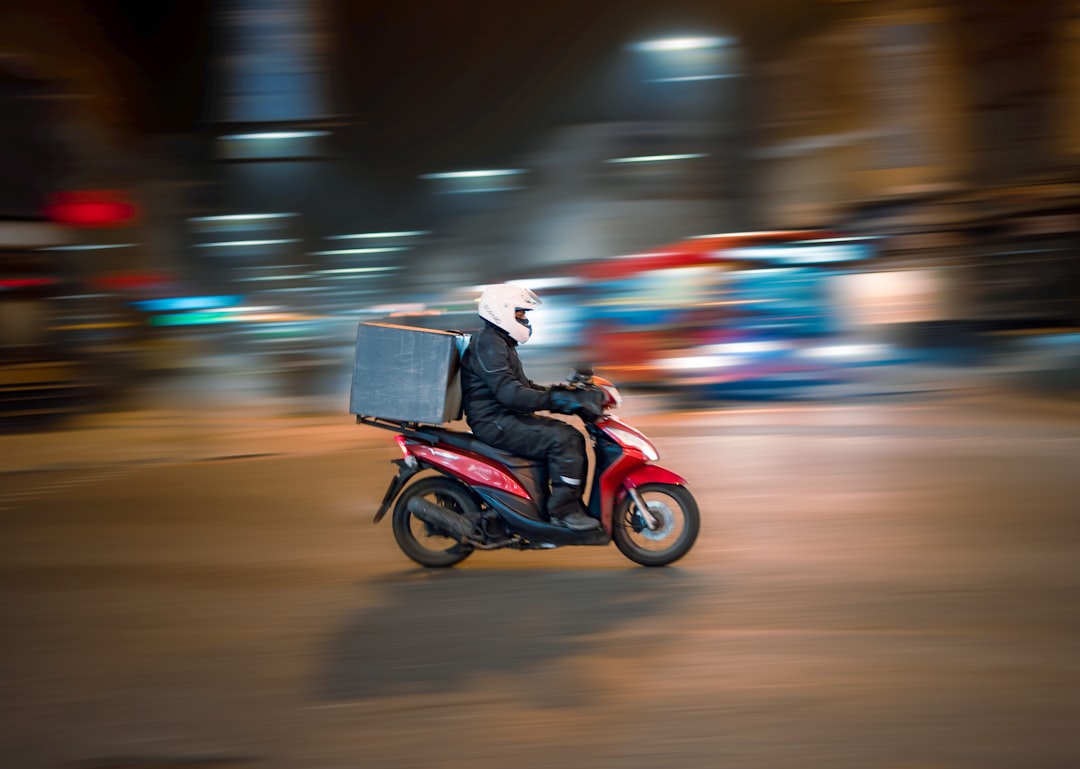
Getting restaurant delivery to an apartment, hotel, or dorm is usually straightforward when the address and handoff plan are clear. This checklist shows what to enter, what to tell the driver, and what to confirm before placing an order so your meal reaches the right building without an avoidable delay.
Overview
A delivery address is more than a street number. In a large building, campus, or temporary lodging, the driver may also need a property name, tower or entrance, unit or room number, access instructions, and a safe meeting point. Delivery apps may display these details in separate fields, while some ordering websites rely mainly on a free-text note. Check the final order screen to see which information has been saved and which details still belong in the restaurant delivery instructions.
The goal is to provide enough information for a first-time visitor to identify the property and complete the handoff without guessing. Avoid including unnecessary personal details, and do not share a building access code more broadly than needed. If the property has restrictions on visitors or deliveries, follow its instructions rather than assuming the driver can come upstairs.
For a general walkthrough of placing an accurate order, see How to Order Food Online. If you are comparing the cost of delivery with pickup, the guide to takeout versus food delivery can help you assess the complete order total.
Core address checklist
- Street address: Confirm the building number, street name, direction, and postal or ZIP code.
- Property name: Add the apartment complex, hotel, residence hall, or campus name when it helps distinguish the location.
- Unit or room: Enter the apartment number, suite, room, floor, or residence-hall designation in the appropriate field.
- Building details: Include the tower, wing, block, or entrance if the property has more than one.
- Access information: State whether the driver should call, use a permitted gate code, meet at a lobby, or leave the order at an approved location.
- Contact method: Keep the phone number or in-app messaging channel available during the delivery window.
- Handoff plan: Choose delivery at the door, a lobby handoff, front-desk drop-off, or an outdoor meeting point based on the property’s rules.
Checklist by scenario
Different properties create different delivery problems. Use the relevant row below before you place the order, then adapt the note to the actual layout and rules.
| Property type | Enter or confirm | Typical handoff plan | Useful note detail |
|---|---|---|---|
| Apartment or condominium | Complex name, building or tower, unit number, entrance, and gate information | Door, lobby, call box, or designated outdoor area | Explain which entrance is closest to the unit and whether the driver should call on arrival |
| Hotel | Hotel name, full street address, guest name, and room number if permitted | Lobby, front desk, or guest room when the hotel allows it | Ask the front desk about delivery procedure and say where you will meet the driver |
| Dorm or residence hall | Campus, residence-hall name, building entrance, room, and nearby landmark | Residence-hall entrance, desk, approved pickup point, or campus meeting area | Do not assume the driver can enter a secured building; identify a well-lit meeting location |
| Office or shared workplace | Business name, floor, suite, reception area, and delivery contact | Reception, loading area, lobby, or curbside meeting point | Include the recipient’s name and note any building delivery hours or entrance limits |
| Short-term rental or unfamiliar property | Exact mapped address, building name, unit, and entry instructions supplied by the host | Property door, exterior meeting point, or a nearby permitted location | Use landmarks carefully and avoid asking the driver to enter private or restricted areas |
Apartment delivery
Start with the official street address, then add the complex name and building or tower. If the address pin covers several buildings, the note should identify the correct entrance. A unit number alone may not be enough when a property has multiple lobbies, locked doors, or internal roads. If there is a gate, provide the approved access method or arrange to meet outside it. Never assume an old gate code still works; confirm it before ordering.
A useful apartment note is: “[Complex name], Building [number], Unit [number]. Please use the entrance by [landmark]. I will meet you in the lobby or call box area. Please message when you arrive.”
Hotel delivery
Hotel practices vary, so ask the front desk before ordering. Some properties direct all outside food to the lobby, while others may allow a guest to meet the driver at the entrance. Include the hotel’s full name and your room number only if you are comfortable doing so and the property permits it. The guest name can help the front desk identify the order, but it should not replace the physical address.
Try: “Guest at [hotel name], room [number]. Please meet me at the main lobby entrance; outside delivery access to guest floors may not be available. Message when you arrive.”
Dorm and campus delivery
Campus addresses can be confusing because one postal address may serve several residence halls. Select the residence hall rather than a general campus pin whenever the app allows it. Add the nearest public entrance, a building name, and a meeting point that is easy to identify. If the hall is secured, do not ask the driver to follow another person inside. Meet promptly at the entrance or designated delivery area, especially when parking is limited.
A reusable dorm note is: “[Residence hall], [campus]. I will meet you outside the main entrance near [landmark]. The building may be locked, so please call or message on arrival.”
What to double-check before submitting
- Map pin and written address: Make sure the pin is on the correct property, not a nearby street, leasing office, or campus center.
- Unit, room, or suite field: Verify that the number has not been omitted, autocorrected, or placed only in a private instruction field the driver may not see promptly.
- Entrance and parking: Identify the entrance a driver can actually reach. A main entrance may be closed, one-way, or separated from the building by a gate.
- Handoff choice: Select contactless delivery only when there is a safe, permitted place to leave the order. Otherwise choose a lobby or person-to-person handoff.
- Building access: Confirm whether a code, call box, front desk, or escort is required. Access arrangements can change by property and time of day.
- Recipient availability: If ordering for someone else, give the recipient’s name, contact method, and a clear meeting point. Tell them when the order is on its way.
- Order total and timing: Review fees, minimums, estimated timing, and restaurant notes separately from the address. The food delivery fees guide explains the common charges to review before checkout.
For a new address, place the order while you can monitor messages. Save the corrected address only after checking that the property name, unit details, and delivery instructions are accurate. A saved address with an old unit number can cause repeat problems later.
Common mistakes and how to avoid them
- Using a general landmark as the address: A campus, hotel brand, or complex name is not a substitute for the exact street address.
- Leaving out the building number: “Apartment 204” is incomplete when the property has several buildings.
- Giving vague directions: “Come around back” is difficult to follow. Name the entrance, visible landmark, or approved meeting point.
- Assuming the driver can go upstairs: Hotels, dorms, offices, and secured apartments may limit access. Plan for a lobby handoff when in doubt.
- Using an outdated gate code: If access is uncertain, meet at the gate or another permitted location instead of delaying the order.
- Choosing contactless delivery without a safe location: Food left in an exposed, busy, or inaccessible area may be difficult to find or retrieve.
- Failing to answer messages: Keep notifications on and watch for calls during the expected arrival period, particularly at unfamiliar properties.
- Ordering before checking the property’s process: A quick question for a front desk, host, housing office, or building manager can prevent an unsuccessful handoff.
If an address repeatedly causes confusion, consider pickup or meet-outside delivery instead. The restaurant search checklist can also help when you need to find a restaurant that serves the correct property or offers a practical pickup option.
When to revisit this checklist
Use this guide whenever you move, change apartments, return to campus, stay at a new hotel, visit a different office, or order for someone at an unfamiliar location. Recheck the details after a building changes entrances, a residence hall updates its delivery area, a hotel changes its front-desk procedure, or a property replaces its access system.
Delivery apps also change their address fields, map behavior, handoff choices, and instruction screens. Before a busy season, a move, or a recurring group order, open the current app and verify where the unit number, access note, and contactless preference appear. Do not rely on an old screenshot or saved address if the interface has changed.
Before your next order: copy the exact street address, add the property and unit or room, identify the reachable entrance, choose a safe handoff, and keep your phone available. That short routine makes apartment delivery, hotel delivery, and dorm food delivery much more predictable.